
NodeSet Pro has now been ported to Blender 2.80 and is available from BlenderMarket.
Porting this add-on has been fairly easy but be aware that Blender 2.80 is still in beta so you might encounter difficulties!
Basically the Cycles Voronoi texture node will have all the functionality of its Blender Internal counterpart: you can choose different metrics (= ways to define what a distance is) including the manhattan and chebychev metrics and you can choose whether you want to closest neighbor, the 2nd closest (and 3rd, 4th) or the difference between the 2dn and the 1st closest (a.k.a. Voronoi Crackle). A sample is shown below: 
The node has the same outputs as before and just has two extra buttons and an extra input socket (E, which controls the exponent of the Minkovski metric): 
The node defaults to the old options and produces output that is pixel for pixel identical to the old output (with a distance metric of Distance squared). The downside of all this extra functionality is that it is slightly slower (because it now has to choose between different metrics and has to keep around more data). So currently I am checking if or where it makes sense to optimize the code some more. I don't want to complicate the code too much because that would make both maintaining and reviewing the code harder, so at this point it might be more sensible to let it be and accept a few percent penalty for now.
I did submit the path for review just now, if you're interested you can follow its fate here.
All of this can be overcome by using Open Shading Language, but the Cycles OSL implementation is limited to the CPU and cannot benefit from a much faster GPU. I therefore decided to try and implement it in the Blender source code and that went rather well (but see my rants below):
As you can see I added a second value output to the Voronoi node that yields the distance to the next nearest neighbour and added a dropdown to select the distance metric. Currently I have implemented the distance, distance squared (the default), manhattan and chebychev metrics, I might add the generalized minkowsky metric as well. The images show the F2 - F1 noise for the distance squared and manhattan metrics respectively: 


The code works on GPU and on CPU but I only tested it on 64bits Linux (Ubuntu 15.04 to be precise) although there is no reason to believe it will work differently on antoher OS.
device_cuda.cpp, which i need to tweak because although I have a GTX970 (= SM_52 capable) card, I didn't upgrade my cuda drivers so i needed to hack the source to restrict the cuda compiler to sm_50. This is irrelevant to the patch itself. Some remarks about the code: coding this was not all pleasure and that is an understatement. No less than 8 files needed to be changed to alter a single node type. That isn't a bad thing in itself but there is duplicated code, a lot of redundant constants defined in different places and I could find no decent documentation on the stack based virtual machine (svm) that is used by Cycles. It took me way longer to fathom the ins and outs of the code than it took to write the code itself and I am still not 100% certain that I did not miss something. Blender is a wonderful piece of software but it certainly would benefit from a set of decent architecture docs :-)

shader stones(
  point p = P,
  vector Scale = 1,
  float w = 0.02,
  float s = 2,

  output float Fac = 0
){
  point Pos = p * Scale;

  float bot = floor(Pos[1]-1)+cellnoise(Pos[1]-1);
  float lev = floor(Pos[1])+cellnoise(Pos[1]);
  float top = floor(Pos[1]+1)+cellnoise(Pos[1]+1);

  if( Pos[1] < lev ){
    Pos[0] += s*cellnoise(Pos[1]);
  }else{
    Pos[0] += s*cellnoise(Pos[1]+1);
  }
  float left = floor(Pos[0]-1)+cellnoise(Pos[0]-1);
  float mid = floor(Pos[0])+cellnoise(Pos[0]);
  float right = floor(Pos[0]+1)+cellnoise(Pos[0]+1);
  if(
    ((Pos[0] > left+w) && ( Pos[0] < mid - w ))
    ||
    ((Pos[0] > mid+w ) && ( Pos[0] < right - w))
  ){
    if(
      ((Pos[1] > bot+w) && ( Pos[1] < lev - w ))
      ||
      ((Pos[1] > lev+w ) && ( Pos[1] < top - w))
    ){
      int stoneindex=0;
      float seeda = left;
      float seedb = bot;
      float bounda = mid;
      float boundb = lev;

      if( Pos[0] > mid ){ stoneindex += 2; seeda = mid; bounda = right; }
      if( Pos[1] > lev ){ stoneindex += 1; seedb = lev; boundb = top; }
      int pattern = (int)floor(cellnoise(seeda,seedb)*4);
      if( pattern == 0 ){
            // horizontally halved
            float nlev = (seedb + boundb)/2;
            if( (Pos[1] > nlev - w) &&  (Pos[1] < nlev + w) ){
              Fac = 0;
            } else {
              Fac = cellnoise(vector(seeda,seedb,Pos[1]>nlev));
            }
      } else {
        Fac = cellnoise(vector(seeda,seedb,-1));
      }
    }
  }
}
(The code is also available on GitHub.) 
Last week I had the opportunity to read the Cycles materials and textures cookbook and it proved to be a worthwhile read.
The author, Enrico Valenza, is an experienced and professional Blender user so a book by him is certainly worth checking out. The book presents some thirty shaders in a cookbook style and offers many insights in the Cycles rendering system not limited to specific materials. Although a cookbook implies that you can use the recipes as they are presented, the techniques that are offered in the book will get you a lot further than that and will help you develop skills necessary to develop your own materials because of the very detailed way their implementation is described.
Nice and thorough book to get you started on creating materials for Cycles, the e-book versions are certainly worth your money in my opinion (personally i think that twice the price for a print version is over the top but of course there will always be people who prefer the genuine touch of paper :-)


A combination of two perpendiclar anisotropic Gabor textures is an easy way to create textures that mimic fabrics. In this post we use this to create a simple denim fabric.
In a previous post I presented a simple node to provide Gabor noise. Anisotropic Gabor noise with a large direction vector has slightly undulating parallel lines. Two of these perpendicular to each other are an easy way to create a fabric like structure.

The material that is presented here is probably not as versatile or fast as the fabric node I presented earlier, but it does give a somewhat more natural result (at least in my opinion) and is foremost an example of how versatile Gabor noise is. Also, because a Gabor noise node is farly high on the todo list for Cycles this means in the future we might not be dependent on custom nodes as presented here.
The node setup here isn't exactly pretty (click to enlarge) but the main idea is the combination of two Gabor noise nodes (show in a previous post):

A simple shader to generate a chain link fence pattern that shows that a little displacement can go a long way.

The whole trick in generating a chain link fence pattern is realizing there is a lot of symmetry involved so we only need to think about the calculations for one part.
The symmetry trick is in lines 17 - 20 where we invert the right half of a square around the center. The way we generate our pattern would cause the ends of the wires at the edges of the square not to line up so in line 15 an 16 we skew the grid a bit to correct this. this extra work before hand makes generating the wires of the chain link fence now very straight forward,
#include "stdosl.h"

float arc(float x){ return sqrt(1-(x-0.5)*(x-0.5)/0.25); }

shader chainlink(
 point Pos = P,
 float Width = 0.05,
 output float Fac = 0,
 output float Displ = 0
){
 float x = mod(Pos[0],1);
 float y = mod(Pos[1],1);
    float ox = x ;
    float oy = y ;
    x += Width * (0.5 - oy );
    y -= Width * (ox - 0.5 );
 if ( y > 0.5 ){
  y = 1 - y;
  x = 1 - x;
 }
 if ( x > 0.5 ){
        if ( y > 0.5 - Width ){
   Fac = 1;
   Displ = arc((y-(0.5-Width))/Width);
  }else if (x < 0.5 + Width) {
   Fac = 1;
   Displ = arc((x-0.5)/Width);
  }
 }else{
  float r = hypot(x-0.5,y-0.5);
  if (r < Width) {
   Fac = 1;
   Displ = arc(r/Width);
  }
 }
}
The way to use this shader is by using a default (aka reset) uv map from a simple plane and scale/rotate it as you see fit. The node setup shown here is about the simplest you can get: we simply map the Fac socket to a mix shader to map between a fully transparent shader and a material, in this cas a node group that implements some simple rather dull metal (not shown here). The caclculated displacement is directly plugged into the material output node and thereby converted to a surface normal but we could have used a bump node as well.


// greatest common divisor
int gcd(int A, int B){
    int a=A, b=B;
    if (a == 0) { return b; }
    while (b != 0) {
        if (a > b) {
            a = a - b;
        } else {
            b = b - a;
        }
    }
 return a;
}

// smallest common multiple (assumes a, b > 0 )
int scm(int a, int b){ return a*b/gcd(a,b); }

shader weave(
 color WarpColor = color(0.8,0,0),
 color WeftColor = color(0,0.8,0),
 int skip = 1,
 int underrun = 1,
 int overrun = 1,
        float WarpWidth = 0.8,
        float WeftWidth = 0.8,
 vector Coordinates = 0,
 output color Color = 0,
 output int Index = 0,
        output float Dist = 0
)
{
 int ny = underrun + overrun;
 int nx = scm(skip,ny);

 float x = mod(Coordinates[0],1.0);
 float y = mod(Coordinates[1],1.0);

 int ix = int(floor(x*nx));
 int iy = int(floor(y*ny));

        float cx = mod(x*nx,1.0);
        float cy = mod(y*ny,1.0);

 int top;
 top = ((iy+skip*ix)%ny) < overrun;

        float lx = (1-WarpWidth)/2;
        float hx = 1-lx;
    float ly = (1-WeftWidth)/2;
    float hy = 1-lx;

    if (top) {
        if ( cx > lx && cx < hx ){
            Index = 1;
            Color = WarpColor;
            Dist = abs(0.5-cx);
        } else if (cy > ly && cy < hy ){
            Index = 2;
            Color = WeftColor;
            Dist = abs(0.5-cy);
        }
    } else {
        if (cy > ly && cy < hy ){
            Index = 2;
            Color = WeftColor;
            Dist = abs(0.5-cy);
        } else if ( cx > lx && cx < hx ){
            Index = 1;
            Color = WarpColor;
            Dist = abs(0.5-cx);
        }
    }
}
You may experiment with the skip, overrun and underrun values to get different patterns. The only real trick is to determine if we should display the vertical thread on top or the horizontal one. This is done in line 45. The rest of the code then simply checks whether we are withing the width of a thread. 

I is already provided in OSL as are many vector operations, this irridescence shader is surprisingly simple to implement.surface irridescence (
float nmedium = 1, // approximate refractive index of air
float nfilm = 1.3, // approximate refractive index of water
float d = 1000, // 1000 nm = 1 micron
output color Color = 0
)
{
// condition for constructive interference:
// 2 * nfilm * d * cos(t2) == (m-0.5)*lambda
// d and lambda in nm
float eta = nmedium/nfilm;
// note that N should be the perturbed normal
vector T = normalize(refract(I,N,eta));
// no need to divide by (len(-I) * len(T)) as these are normalized
float cost2 = dot(-I , T);
float opd = 2*nfilm*d*cost2;
int mmin = int(ceil(opd/750+0.5));
int mmax = int(floor(opd/350+0.5));
// if mmax < mmin the film is too thin to show an effect
int m = (mmin + mmax)/2;
if (m > 0){
float lambda = opd / (m - 0.5);
color c = wavelength_color(lambda);
Color = c;
}
}
opd first and then (in line 18) calculate the minimum and maximum number of wavelengths (plus a half to correct for a phase shift, check the Wikipedia article to see why) that fit in this path. The minimum number of wavelengths is calculated by dividing by the wavelength of the longest waelength we can see (red, 750 nm), the maximum by dividing by the shortest wavelength (blue, 350 nm). If the film is too thin, mmin will be smaller tban zero.lambda that corresponds with this integer (line 24). The final trick is converting this wavelength to a RGB-color with OSLs built-in wavelength_color() function.
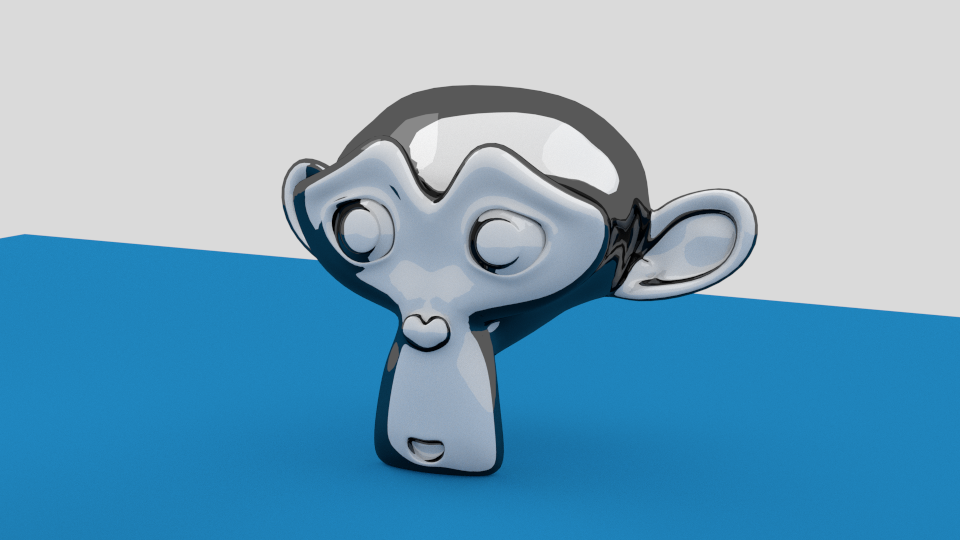
shader outline(
    color Color = 1,
    float Angle = 50,
    output color Cout = 0
)
{
    float angle = cos(radians(Angle));
    if(abs(dot(-I,N)) > angle) Cout = Color;
}


n which can be used to alter the shape of the scales. Vindex which is unique for each scale but the same within the scale. This can be plugged into a texture to provide each individual scale with its own distinct color. In the example noodle for the image shown at the beginning you can see how this is done. shader scales(
color Diffuse_Color1 = color(0.2, 0.8, 0.2),
color Diffuse_Color2 = color(0.8, 0.2, 0.2),
vector Coordinates = 0,
float n = 0,
output color Color = 0,
output int Index = 1,
output float Distance = 0,
output vector Vindex = 0)
{
float sx = mod(Coordinates[0],1);
float sy = mod(Coordinates[1],1);
vector p = vector(sx,sy,0);
vector p0 = vector(0.5,0,0);
vector p1 = vector(0.5,1,0);
vector p2 = vector(0,0.5,0);
vector p3 = vector(1,0.5,0);
vector cell = vector(floor(Coordinates[0]),floor(Coordinates[1]),0);
int oddx = int(cell[0])%2;
int oddy = int(cell[1])%2;
float dist(vector a, vector b, float n){
float x = b[0]-a[0];
float y = b[1]-a[1];
float r2 = x*x+y*y;
if ( n != 0.0 ) {
float theta = atan2(y,x);
float cost, sint;
sincos(theta, sint, cost);
float cost2= cos(theta*2);
float Y = pow(abs(sint),1+n*(1-cost2*cost2));
r2 /= cost*cost+Y*Y;
}
return sqrt(r2);
}
float d1 = dist(p,p0,n);
if ( d1<=0.5 ){
Color = Diffuse_Color1;
Index = 0 ;
Distance = d1;
Vindex = cell + p0;
} else {
float d2 = dist(p,p2,n);
float d3 = dist(p,p3,n);
if ( d2 <= 0.5 ) {
Color = Diffuse_Color2;
Index = 1;
Distance = d2;
Vindex = cell + p2;
} else if ( d3 <= 0.5 ) {
Color = Diffuse_Color2;
Index = 1;
Distance = d3;
Vindex = cell + p3;
} else {
Color = Diffuse_Color1;
Index = 0;
Distance = dist(p,p1,n);
Vindex = cell + p1;
}
}
}


#define A 0.86602540378443864676372317075294 // sqrt(3)/2
#define A2 (2*A)
#define A4 (4*A)
#define SY (1/A)

shader hexagons(
    color Diffuse_Color1 = color(0.2, 0.8, 0.2),
    color Diffuse_Color2 = color(0.8, 0.2, 0.2),
    color Diffuse_Color3 = color(0.2, 0.2, 0.8),
    vector Coordinates = 0,
    output color Color = 0,
    output int Index = 1,
    output float Distance = 0)
{
    // calculate the color

    color colors[3] = {Diffuse_Color1,
                       Diffuse_Color2,
                       Diffuse_Color3};

    // we warp the grid so that two adjacent equilateral triangles
    // are mapped to two triangles that fit in a square
    float syc = Coordinates[1] * SY;
    float sxc = Coordinates[0] + 0.5 * syc;

    int ind[18] = {1,1,3,3,3,1, 2,2,2,3,3,3, 1,2,2,2,1,1};

    int iy = int(mod(syc,3.0));
    int ix = int(mod(sxc,3.0));
    ix = iy * 6 + ix * 2 + ( mod(sxc,1.0) > mod(syc,1.0) );
 Index = ind[ix];
    Color = colors[Index-1];

    // calculate the distance to the center of the hexagon

    float sx = mod(Coordinates[0],3);
    float sy = mod(Coordinates[1]+0.75,A4);

    // map everthing to a single quadrant
    if ( sx > 1.5 ) sx = 3 - sx;
    if ( sy > A2 ) sy = A4 - sy;

    // the distance were interested in is the distance to
    // the *closest* center point
    float d1 = distance(vector(sx,sy,0),vector(1.5,A2,0));
    float d2 = distance(vector(sx,sy,0),vector(0,A,0));
    float d6 = distance(vector(sx,sy,0),vector(1.5,0,0));

    Distance = min(min(d1,d2), d6);

}
The code is a generic shader, i.e. its output color does not take any lighting calculations into account and a more familiar way to refer to such a shader would be a custom texture or pattern. Obviously you can plug its calculated color into a diffuse shader for example but you could also combine it with other textures. 


